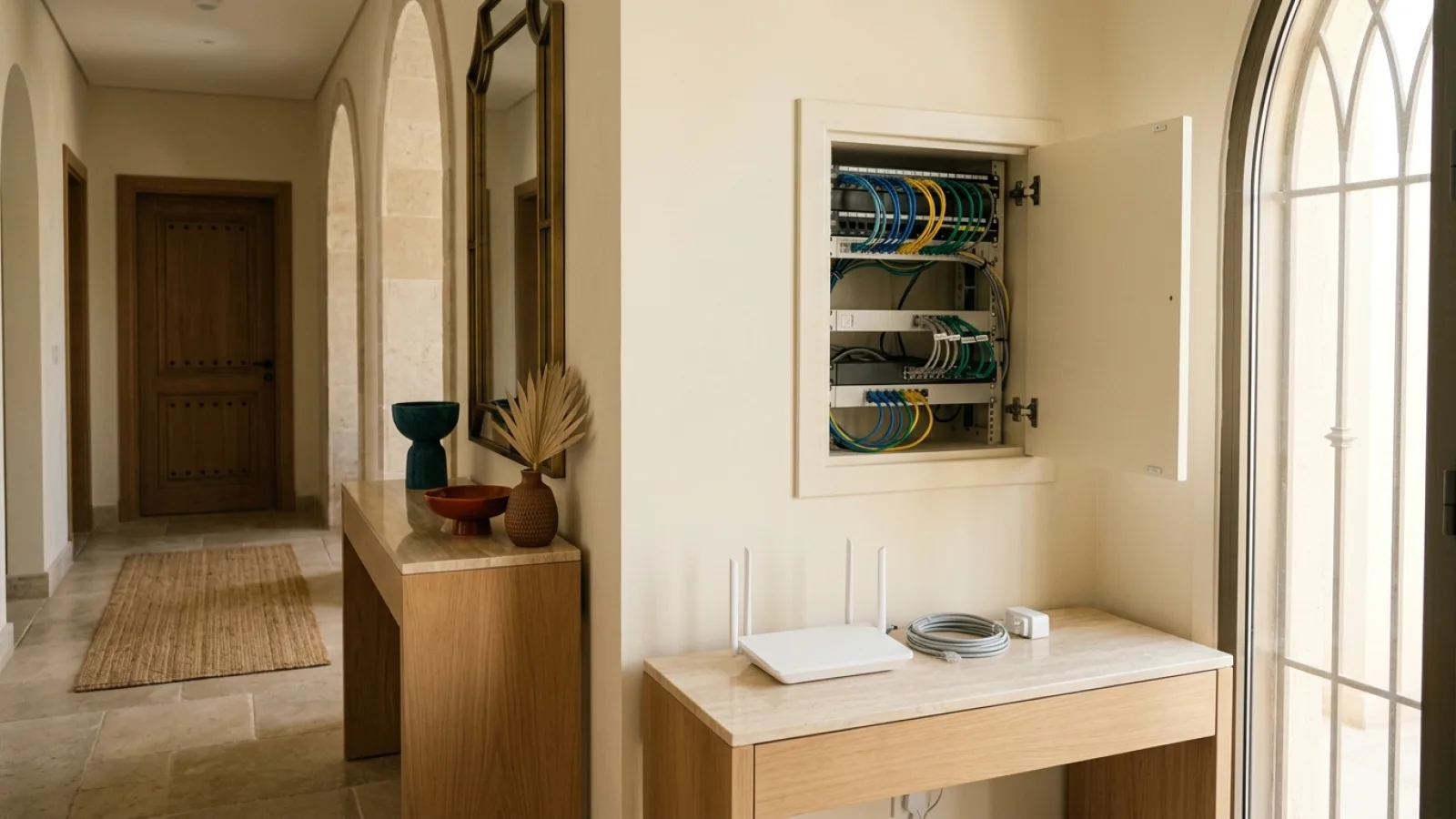

Before placing a home internet order, gather accurate address information and check the selected carrier's eligibility and setup requirements. Fiber and home 5G can have different steps.
Saryan can assist with selecting a Zain or Mobily plan, submitting the subscription request and following its status.
- Coverage
- Plan facts
- Customer data
- Documents
- Acceptance and terms
- Router placement
- Appointment/site access
- Order reference/tracking
- After installation
- Support, complaint and privacy
1. Coverage #
The mandatory first step before initiating an order is confirming engineering feasibility at your physical address:
- Never submit a finalized order if your coverage query returned "Needs Verification" or "Insufficient Evidence"; complete the supplemental photo submission of the metallic wall plate or coordinate verification first.
- Clarify the exact deployed medium: is your address served directly by licensed carriers (Zain and Mobily) fiber infrastructure, through the National Open Access network across a third-party partner, or via wireless 5G HomeFi?
- Identifying the access medium dictates the physical equipment footprint and internal cabling runs required within your home.
2. Plan facts #
Review commercial and technical contract terms thoroughly before submitting your request to avoid future misunderstandings:
- Verify the total monthly commitment inclusive of 15% VAT, alongside contractually guaranteed upload and download speed specifications.
- Check the minimum contract commitment window (e.g., 12 or 24 months) and clarify router ownership policies upon term completion.
- Ensure that one-time installation and network provisioning fees are explicitly listed as waived under the selected promotional tier.
- Consult guide K09 as a structured commercial and legal checklist before granting final submission approval.
3. Customer data #
Accurate customer contact telemetry is the backbone of efficient appointment scheduling and field coordination:
- Register an active mobile phone number linked to your official National ID or Iqama, verified to receive SMS alerts for appointment confirmation passcodes.
- Ensure your 4-digit Short National Address code, postal code, and additional building number match official Saudi Post (SPL) records precisely.
- Specify your preferred language (Arabic or English) in the application form to ensure field technicians and customer service teams engage you in your preferred language.
4. Documents #
Under regulatory bylaws enforced by the Communications, Space & Technology Commission (CST):
- Telecom subscriptions in the Kingdom require mandatory biometric digital verification via the digital OTP identity verification (WAui OTP / SMS) portal.
- Ensure your verification message is updated, active, and accessible on your smartphone prior to application submission.
- Ensure your National ID (for Saudi citizens) or Resident Identity Card / Iqama (for expatriates) is valid and free of administrative expiration flags.
- Security Mandate: upload personal identification data exclusively through our secure, encrypted digital portal. Never transmit passport or ID scans across unverified messaging apps.
5. Acceptance and terms #
If you lease your residence within an apartment complex or gated residential compound:
- Secure preliminary authorization from your landlord or building management for drilling and running external optical drop cabling into your unit.
- Review the official service terms, fair usage parameters, and contract duration, archiving an electronic copy of the approved schedule in your records.
- Remember that the versioned contract accepted upon submission constitutes the binding legal authority governing your service relationship.
6. Router placement #
Carefully planning your primary Wi-Fi router (ONT) location accelerates technician onboarding and optimizes indoor coverage:
- Select an elevated, central location in a living area away from dense metallic obstructions, mirrors, and electromagnetic appliances (such as microwave ovens).
- Confirm the presence of at least two grounded AC power outlets at the chosen location to power both the optical modem and Wi-Fi gateway.
- Inspect internal electrical conduits or air conditioning chases if you prefer concealed internal optical cabling rather than surface-mounted boundary runs.
7. Appointment/site access #
Coordinating the field technician dispatch is the critical operational milestone:
- Technicians provide an advance call to confirm your scheduled arrival window (e.g., between 1:00 PM and 4:00 PM).
- Ensure an adult family member (18 years or older) is present on-site to grant property access, approve internal wire routes, and sign the field completion manifest.
- Ensure unobstructed access to the external fiber terminal box (FAT) on the perimeter wall or in the building basement utility riser.
8. Order reference/tracking #
Upon successful submission, the system generates a unique, traceable Order Reference Number:
- Retain this tracking identifier via SMS or digital screenshot for all subsequent customer advisory interactions.
- Monitor your provisioning workflow in real time via SARYAN's self-service portal at
/track-order: (Received → Processing → Technician Scheduled → In Installation → Activated). - Avoid creating multiple duplicate applications for the same address, which can trigger workflow contention in carrier dispatch systems.
9. After installation #
Never release the installation technician until completing standard quality-of-service verification:
- Inspect optical signal power levels on the technician's optical power meter, verifying attenuation falls cleanly within the -18 to -25 dBm operational window.
- Verify that modem status LEDs (Power, PON, Internet) display steady green illumination without red error flashing.
- Execute an initial baseline speed test over a direct Ethernet cable connected to a laptop to verify full delivery of subscribed throughput.
- Retrieve the factory Wi-Fi SSID and WPA security passphrase printed on the router label, testing wireless connectivity from your smartphone.
10. Support, complaint and privacy #
Familiarity with post-activation governance channels guarantees long-term peace of mind:
- Technical Support: Contact SARYAN or licensed carrier (Zain and Mobily) customer assistance channels directly for real-time troubleshooting and ticket logging.
- Formal Complaints: Consumers possess the regulatory right to file formal dispute tickets, with mandatory operator resolution within 5 business days, followed by direct escalation to CST if unsatisfied.
- Privacy & Personal Data: The Saudi Personal Data Protection Law (PDPL) strictly safeguards your address and identity records, ensuring data is used exclusively for service fulfillment.
11. Low-Current In-Wall Conduits, Fish Tape Pulls, and Pathway Preparation #
In contemporary residential engineering across Saudi Arabia, preparing low-current electrical pathways prior to technician dispatch makes the difference between clean concealed cabling and unsightly surface-mounted wire clips:
- Conduit Sizing and Specifications: Ensure internal low-current PVC conduits running from the exterior demarcation point or central ground-floor distribution panel to the primary living room maintain an internal diameter of at least 20 to 25 millimeters. Avoid constricted 16 mm conduits that create severe friction against factory-terminated SC/APC optical connectors.
- Deploying a High-Tensile Pull String (Fish Tape): Prior to the appointment date, use a professional electrician’s fish tape to pre-thread a durable nylon pull string through the conduit. When the broadband installation technician arrives, they can fasten the optical drop cable directly to the pull string, completing the pull in under five minutes without snagging.
- Architectural Sweep Radii (No 90-Degree Elbows): Verify that all wall conduit bends utilize long-radius architectural sweeps (maintaining a bending radius of at least 100 millimeters). Sharp 90-degree plumbing elbows will fracture delicate internal optical glass fibers or permanently block drop cable traversal.
12. Electrical Grounding Standards, AC Socket Sizing, and Dedicated Mini-UPS #
The optical network terminal (ONT) and companion Wi-Fi router are sensitive active networking appliances requiring clean, uninterrupted electrical power to sustain high performance:
- Dedicated SASO-Standard AC Receptacles (Type G): Provide at least two grounded three-pin 230V AC wall outlets conforming to Saudi Standards, Metrology and Quality Organization (SASO) standards adjacent to the primary gateway location. Avoid daisy-chaining multiple adapters or unshielded multi-way extension cords that introduce electrical ground loops or fire risks.
- Dedicated DC Mini-UPS Deployment: Installing a compact 12V DC battery backup (Mini-UPS, rated at 8,000 to 10,000 mAh) between the wall outlet and the optical modem provides continuous, stable power. During transient grid fluctuations or maintenance trips, the Mini-UPS keeps your fiber ONT and primary router fully operational for 3 to 5 hours, preserving executive teleconferences, VoIP connectivity, and connected home security cameras.
13. Regulatory Digital Identity Verification Protocol via CST OTP Gateways #
To safeguard consumers against fraudulent subscription attempts, the Communications, Space & Technology Commission (CST) enforces strict biometric and digital OTP identity verification protocols:
- Technician Identity Confirmation: Prior to disclosing any identity confirmation passcodes, inspect the field technician's official employee ID card and dispatch manifest issued by the licensed carrier (Zain or Mobily) or certified regional delivery partner.
- Detailed SMS Text Auditing: When the One-Time Password (OTP) arrives on your registered mobile number, read the full text carefully. Verify that the SMS originates from the authentic carrier sender ID and explicitly references "Broadband Activation Order" matching your civil national identification number.
- Prohibition of Advance Remote Passcode Sharing: Under strict CST consumer security regulations, never recite or transmit your activation OTP over phone calls or messaging apps prior to the technician physically arriving on site and completing drop cable installation.
14. Optical Demarcation Handover, Power Budget Calibration, and Gigabit Verification #
Upon finishing physical cabling, every subscriber possesses the statutory right to verify optical signal metrics before executing the digital sign-off manifest:
- Optical Power Meter (OPM) Measurement: Request that the technician display the digital optical power meter readout at the end of the customer drop cable. The authoritative reception window must register strictly between -14 dBm and -22 dBm. An optical reading dropping below -26 dBm signals high macro-bending loss or defective fusion splicing in the exterior street cabinet, requiring immediate re-splicing prior to sign-off.
- Gateway LED Telemetry Inspection: Verify that the modem's PON LED exhibits a solid, unblinking green light (confirming synchronized optical framing with the provider BNG aggregation core), the Internet LED is solid green, and the LOS (Loss of Signal) LED remains completely unlit.
- Direct Hardwired Ethernet Benchmark: Connect a workstation to the LAN 1 port via a certified Cat6 patch cable and execute a local multi-stream throughput benchmark targeting authoritative regional nodes in Riyadh or Jeddah. Verify that sustained download performance achieves at least 95% of contractual line speed with round-trip latency under 15 milliseconds.
15. Service Activation Receipt Archival, Gateway Credential Hardening, and Support Escalation #
Following successful commissioning, finalize your deployment with these operational security hygiene measures:
- Photographic Equipment Asset Archival: Capture a sharp photograph of the underside label on your ONT/router, recording the hardware serial number, MAC address, default Wi-Fi network SSID, and pre-shared key for future reference.
- Immediate Administrative Gateway Hardening: Log into the router management dashboard (typically
192.168.1.1or192.168.100.1) and replace default factory administrative credentials with an enterprise-grade passphrase, shielding your gateway from local network penetration. - Record Customer Support Escalation Channels: Save your unique order tracking reference and SARYAN sales and customer assistance contact (0596453545) for streamlined follow-up.
Joint Field Technician Demarcation Inspection Protocol:
To prevent operational disputes or post-installation service dispatches, audit these technical milestones jointly with the field engineer:
- Exterior Fiber Distribution Terminal (FAT) Port Validation: Confirm that the optical drop cable terminated at your residence is patched into the specific pre-assigned splitter port on the exterior street enclosure, verifying the engraved alphanumeric wall plate ID corresponds exactly with the work order manifest.
- Internal Cable Slack Loop Management: Ensure the technician leaves a structured optical slack service loop (approximately 1 to 2 meters) coiled neatly inside the customer wall outlet or demarcation enclosure, providing maintenance leeway for future gateway relocation without straining optical splices.
- Domestic Peering Latency Benchmark: Execute an ICMP ping audit to domestic peering core endpoints (SAIX in Riyadh or JEDIX in Jeddah) confirming round-trip times hold steady below 12 milliseconds with 0.0% packet drop.
- Hardware Warranty Issuance: Verify the certified two-year hardware replacement warranty manifest for the optical ONT and bundled Wi-Fi router.
Conclusion #
A smooth, fast home broadband installation is the result of structured collaboration between a transparent digital platform and an organized subscriber. By spending a few minutes completing this pre-installation checklist—verifying coverage, preparing documents, planning wire routes, and conducting handover testing—you prevent delays and ensure your household enjoys dependable high-speed connectivity from day one.
Internal links #
/coverage · /compare · /how-it-works · /track-order · /customer-rights · K03 · K09 · K24
Editorial source review #
Compiled in strict alignment with Communications, Space & Technology Commission (CST) broadband installation quality standards, digital OTP identity verification (WAui OTP / SMS) authentication mandates, and authorized broadband operational blueprints from licensed Saudi carriers (Zain and Mobily).
A Realistic Pre-Installation Checklist #
Before the appointment, verify the address, contact number and request reference. The goal is not to submit the order again; it is to remove simple sources of delay. If the building has a gate, guard or access instructions, prepare them. In a rented property, confirm any approval required for cable routing or permanent mounting.
Decide where you would prefer the ONT and router, but allow the plan to change after the actual Fiber route is inspected. A location with nearby power, safe equipment space and easy maintenance access is better than hiding the hardware in a cabinet. Good placement also affects the home Wi-Fi experience.
Think about the internal network before the technician arrives. If you have a work computer, gaming system or fixed television, decide whether Ethernet would be useful. In a larger home, identify possible access-point or mesh locations. The service technician may not build the entire LAN; the objective is to avoid a placement that makes later expansion unnecessarily difficult.
Clear access to the proposed route, but do not drill holes or install random cabling before the correct path is known. Some properties have ready conduits while others need a different approach. Good preparation means understanding the options, not performing work that may never be used.
Prepare a device for post-activation testing. A laptop with Ethernet or a suitable adapter helps test the base connection without Wi-Fi variables. Then test a phone or laptop in important rooms. Keep the initial results as a baseline for later troubleshooting.
Review plan facts before the visit: plan name, speed, included equipment, current price, active promotion and commitment terms. If a different detail appears during execution, you have a clear reference instead of relying on memory.
Do not treat technician arrival as proof that every step will be completed immediately. Infrastructure, service-point or route issues can still appear. Record what happened, the next action and the request reference rather than accepting an ambiguous “try again later.”
After completion, confirm that the connection works, understand the Wi-Fi/network details the customer should retain, note equipment placement and inspect the visible cable route. You do not need to chase the maximum possible Speedtest number; you need a reasonable baseline that can be repeated if a problem appears.
| Decision field | Practical question | What to record |
|---|---|---|
| Usage | What happens at peak time? | Simultaneous devices and workloads |
| Measurement | Is the result consistent? | Download, upload, latency and notes |
| Coverage | Does the address qualify? | State, date and source context |
| Cost | What is the full cost? | VAT, equipment, commitment, promo expiry |
| Home network | Is the bottleneck inside the home? | Wired vs Wi-Fi and router position |