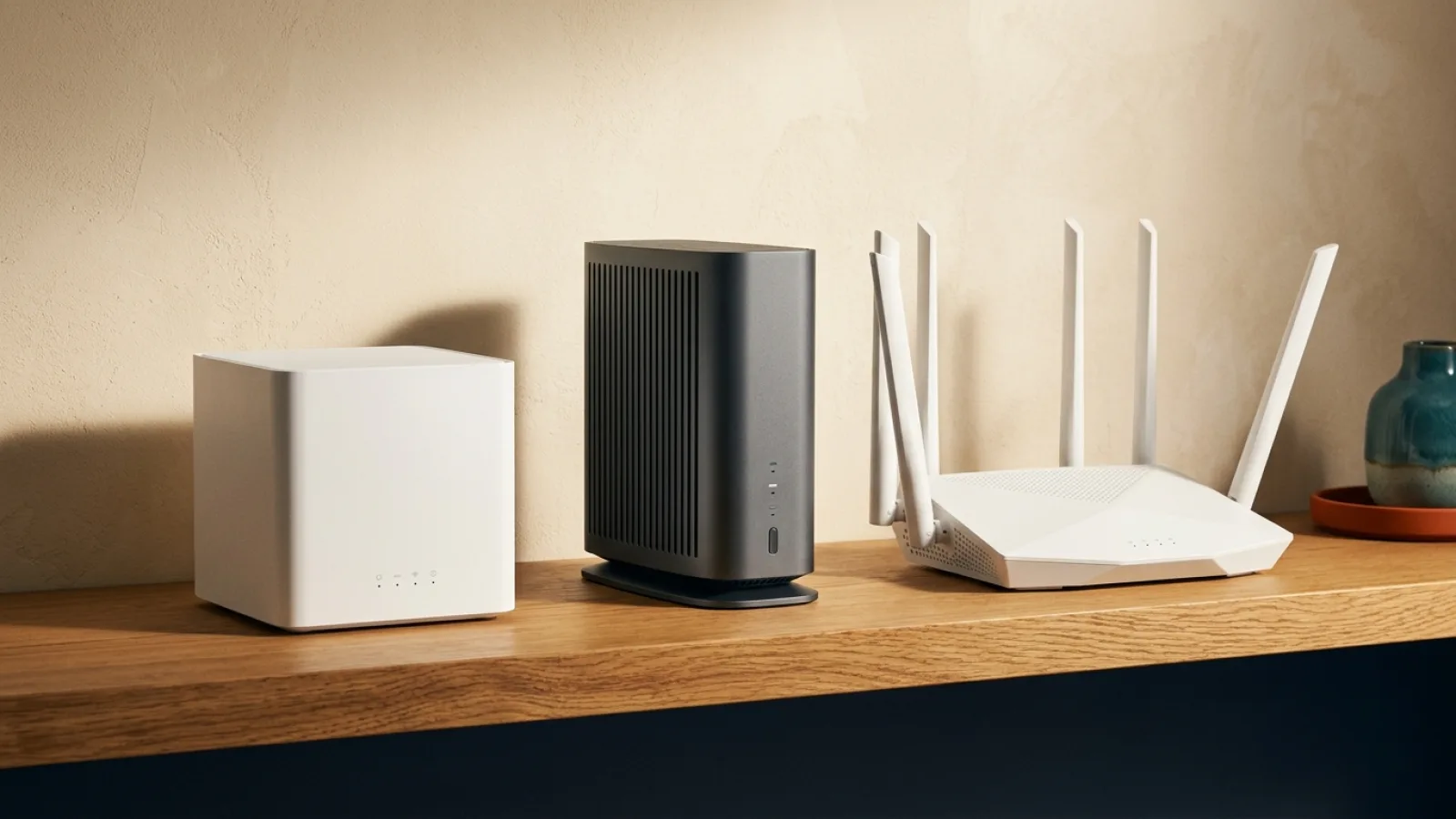

New Wi-Fi standards can help, but a newer router does not automatically improve every device or room. Compatibility, placement, and the actual home internet plan all matter.
Review the router included with each real Zain or Mobily plan before subscribing; do not assume the newest Wi-Fi standard is bundled.
- Defining Wi-Fi Generations: From Legacy 802.11b to Modern 802.11be
- Wi-Fi 6 (802.11ax): Spectral Efficiency and Multi-Device Household Management
- Wi-Fi 6E: Unlocking the Pristine 6 GHz Radio Frequency Frontier
- Wi-Fi 7 (802.11be): Extreme Throughput and Multi-Link Operation (MLO)
- Physical Spectrum Comparison: 2.4 GHz vs 5 GHz vs 6 GHz Frequencies
- Channel Architecture Progression: Scaling from 80 MHz to 160 MHz and 320 MHz
- Backward Compatibility Realities and Client Terminal Hardware Bottlenecks
- Mesh Architectures and Physical Ethernet Backhaul vs New Generation Radios
- Governed authorized carrier Gateways and Saudi CST Regulatory Approvals
- Strategic Upgrade Decision Matrix: Pragmatic Upgrades vs Unnecessary Expenditure
- Deep-Dive Architecture of Wi-Fi 7: 4096-QAM, 320 MHz Channels and MLO in the Saudi Market
1. Defining Wi-Fi Generations: From Legacy 802.11b to Modern 802.11be #
For decades, consumer networking protocols were identified exclusively by complex IEEE technical naming conventions: 802.11b, 802.11g, 802.11n, and 802.11ac. Recognizing that arcane engineering nomenclature hindered consumer clarity, the Wi-Fi Alliance restructured industry nomenclature in 2018 into intuitive numerical generations:
- Wi-Fi 4: Retroactively designated standard 802.11n (introduced in 2009).
- Wi-Fi 5: Formalized standard 802.11ac (introduced in 2014), establishing 5 GHz high-throughput networking.
- Wi-Fi 6: Standard 802.11ax (ratified in 2019), prioritizing spectral density and high-concurrency efficiency.
- Wi-Fi 6E: Extended 802.11ax into newly cleared 6 GHz radio spectrum (2021).
- Wi-Fi 7: Standard 802.11be (ratified in 2024), achieving extreme multi-gigabit throughput and deterministic latency controls.
The massive aggregate speed numbers printed on retail packaging (e.g., AX3000, BE19000) represent theoretical mathematical sums across all radio bands operating simultaneously in laboratory conditions. They do not represent the throughput attainable by an individual device in a real-world residential environment.
2. Wi-Fi 6 (802.11ax): Spectral Efficiency and Multi-Device Household Management #
While Wi-Fi 5 targeted raw peak speeds for single-client scenarios, the architectural focus of Wi-Fi 6 addressed the defining challenge of modern domestic connectivity: concurrent device density.
The modern smart home hosts 20 to 50 active wireless endpoints simultaneously—including smartphones, tablets, streaming players, surveillance cameras, and smart home sensors. Under older standards, routers utilized single-client transmission queues, forcing devices to wait sequentially for radio airtime. Wi-Fi 6 transformed this dynamic through four core innovations:
- OFDMA (Orthogonal Frequency-Division Multiple Access): Splits radio channels into smaller sub-carriers called Resource Units (RUs). Instead of dedicating an entire radio transmission to a single client, OFDMA bundles data for dozens of endpoints into a single transmission cycle, slashing queue latency.
- Bidirectional Multi-User MIMO (MU-MIMO): Enables the gateway to simultaneously transmit and receive multiple spatial data streams across up to eight client devices concurrently.
- Target Wake Time (TWT): Negotiates discrete, scheduled communication windows for low-power smart home appliances and mobile phones, allowing radios to remain in ultra-low-power sleep states and extending battery life by up to 30%.
- 1024-QAM Modulation: Increases raw data encoding density per radio symbol by 25% over Wi-Fi 5.
Wi-Fi 6 operates across both legacy 2.4 GHz and 5 GHz frequency bands and forms the current engineering baseline deployed across authorized carrier FTTH optical gateways.
3. Wi-Fi 6E: Unlocking the Pristine 6 GHz Radio Frequency Frontier #
Despite the algorithmic efficiency of Wi-Fi 6, physical spectrum saturation remained a stubborn constraint. The 2.4 GHz band is polluted by Bluetooth, microwaves, and competing residential networks, while the 5 GHz band features limited contiguous spectrum and contends with aviation/radar DFS restrictions.
Wi-Fi 6E resolved this by expanding 802.11ax capabilities into an entirely new radio spectrum: the 6 GHz frequency band (5.925 GHz to 7.125 GHz).
Architectural Advantages of the 6 GHz Band: #
- Clean Spectrum Exclusivity: Legacy devices (Wi-Fi 4, Wi-Fi 5) are physically incapable of operating on 6 GHz frequencies. The band is reserved exclusively for native Wi-Fi 6E and Wi-Fi 7 client hardware, completely eliminating legacy airtime contention.
- Abundant Contiguous Channels: Provides up to seven ultra-wide 160 MHz channels without channel overlap, effortlessly passing gigabit-speed fiber subscriptions over the air.
- Physical Attenuation Trade-offs: High-frequency radio waves suffer from steeper path loss and diminished structural penetration. The 6 GHz band delivers peerless multi-gigabit speeds within the same room or line-of-sight spaces, but attenuates rapidly through thick building partitions.
4. Wi-Fi 7 (802.11be): Extreme Throughput and Multi-Link Operation (MLO) #
Wi-Fi 7 represents the most consequential architectural leap in wireless networking in over a decade, engineered specifically to support next-generation workloads: uncompressed 8K video streaming, cloud-tethered virtual and augmented reality (VR/XR), and deterministic esports gaming.
Key technical pillars of Wi-Fi 7 include:
- Multi-Link Operation (MLO): Historically, client devices associated with a single frequency band at a time (e.g., exclusively 5 GHz). If that band experienced localized interference, latency spiked. Wi-Fi 7 MLO enables client hardware to establish simultaneous active links across multiple bands (e.g., 5 GHz and 6 GHz simultaneously). The gateway can aggregate throughput across both bands or dynamically route time-sensitive gaming packets over whichever link is instantly clear, achieving wired-like latency determinism.
- 320 MHz Channel Widths: Doubles the maximum channel bandwidth on the 6 GHz band from 160 MHz to 320 MHz, immediately doubling raw air-interface capacity.
- 4096-QAM (4K-QAM): Encodes 12 bits per symbol (compared to 10 bits in 1024-QAM), providing an immediate 20% throughput uplift for clients operating near the router.
- Preamble Puncturing: In prior standards, if narrow-band interference compromised a 20 MHz slice of a 160 MHz channel, the entire channel fell back to 80 MHz. Wi-Fi 7 isolates the punctured segment, allowing remaining spectrum to transmit unimpeded.
5. Physical Spectrum Comparison: 2.4 GHz vs 5 GHz vs 6 GHz Frequencies #
Evaluating domestic performance requires understanding the physical radio properties of each distinct transmission band:
| Frequency Band | Range and Wall Penetration | Throughput Capacity | Interference and Airtime Contention | Supported Generations |
|---|---|---|---|---|
| 2.4 GHz | Superior (passes through multiple structural walls) | Modest (nominal 300–600 Mbps, real-world 50–120 Mbps) | Severe (crowded by Bluetooth, microwaves, neighbors) | Wi-Fi 4, 6, 7 |
| 5 GHz | Balanced (penetrates 1–2 residential interior walls) | High (real-world 400–900 Mbps) | Moderate (manageable with proper channel selection) | Wi-Fi 5, 6, 7 |
| 6 GHz | Restricted (steep attenuation through building materials) | Extreme (1.5 to 3+ Gbps real-world wireless throughput) | Negligible (exclusive, pristine spectrum for modern clients) | Wi-Fi 6E, 7 |
Higher frequencies exchange physical propagation distance for immense data carrying capacity. A 6 GHz Wi-Fi 7 transmission will not penetrate through external reinforced concrete into a detached garden annex.
6. Channel Architecture Progression: Scaling from 80 MHz to 160 MHz and 320 MHz #
Channel width dictates the data capacity of the over-the-air pipeline:
- 20 and 40 MHz Channels: Standard in 2.4 GHz deployment; ideal for low-power IoT appliances and extended coverage.
- 80 MHz Channels: The default baseline across 5 GHz networks; yields 400 to 600 Mbps real-world throughput with dependable multi-room stability.
- 160 MHz Channels: Supported in Wi-Fi 6, 6E, and 7; fully unlocks gigabit fiber throughput wirelessly under optimal radio conditions.
- 320 MHz Channels: Exclusive to Wi-Fi 7 in the 6 GHz band; enables multi-gigabit wireless delivery for specialized high-throughput workstations.
7. Backward Compatibility Realities and Client Terminal Hardware Bottlenecks #
A fundamental reality of wireless networking is that connection performance is governed by the capabilities of the lowest-tier endpoint in the communication loop:
- Communication is bidirectional: the gateway and client terminal must support matching radio protocols to utilize advanced features.
- Connecting a legacy Wi-Fi 5 smartphone or smart TV to a cutting-edge Wi-Fi 7 router forces that specific connection to operate strictly under legacy Wi-Fi 5 rules. The device cannot access 6 GHz frequencies, cannot utilize MLO, and cannot negotiate 320 MHz channels.
- Modern flagship smartphones typically incorporate 2x2 MIMO antenna arrays to conserve battery life and chassis space, limiting maximum client throughput relative to theoretical gateway ratings.
8. Mesh Architectures and Physical Ethernet Backhaul vs New Generation Radios #
A common misconception is that purchasing an expensive standalone Wi-Fi 7 router will eliminate dead zones across large multi-story residential villas. From an engineering standpoint, this is fundamentally flawed:
- Regulatory Power Constraints (EIRP): Spectrum regulators worldwide enforce strict equivalent isotropically radiated power (EIRP) limits to ensure electromagnetic safety. A Wi-Fi 7 gateway emits the exact same legally permitted signal power as a Wi-Fi 6 gateway.
- Saudi Structural Architecture: Residential villas in Saudi Arabia utilize dense reinforced concrete and solid masonry blocks that severely attenuate high-frequency radio waves.
- Ethernet and FTTR Backhaul Primacy: A distributed multi-node mesh system running Wi-Fi 6 interconnected via physical Cat6 Ethernet cabling or Fiber-to-the-Room (FTTR) transparent optical micro-cables will outperform a standalone Wi-Fi 7 router in every remote living space.
9. Governed authorized carrier Gateways and Saudi CST Regulatory Approvals #
All wireless telecommunications equipment distributed in Saudi Arabia operates under the regulatory jurisdiction of the Communications, Space and Technology Commission (CST):
- Saudi Spectrum Leadership: Saudi Arabia was among the first global economies to clear the full 1200 MHz allocation of the 6 GHz spectrum band for license-exempt Wi-Fi deployment, establishing an advanced ecosystem for Wi-Fi 6E and Wi-Fi 7.
- Compliant authorized carrier Equipment: authorized carrier optical fiber subscriptions include carrier-grade gateways fully certified by CST. These units feature high-performance dual-band Wi-Fi 6 radios engineered to reliably deliver contractual broadband speeds across diverse residential environments.
10. Strategic Upgrade Decision Matrix: Pragmatic Upgrades vs Unnecessary Expenditure #
To assist consumers in making technically sound, economically rational investments, we summarize the upgrade decision criteria:
Upgrading to Wi-Fi 6E or Wi-Fi 7 is technically justified if: #
- You currently operate flagship client hardware featuring native Wi-Fi 6E or Wi-Fi 7 modems (e.g., iPhone 15 Pro, Galaxy S24 Ultra, or Intel Wi-Fi 7 laptops).
- You live in a high-density urban apartment building where 5 GHz spectrum is choked by neighboring networks, requiring migration to unpolluted 6 GHz frequencies.
- You subscribe to a premium Fiber Broadband (FTTH) gigabit tier and perform heavy local network transfers between client machines and network-attached storage (NAS).
Upgrading is unnecessary expenditure if: #
- Your primary issue is dead zones in distant rooms; the correct solution is deploying wired mesh extensions or authorized carrier FTTR.
- Your household devices are predominantly Wi-Fi 5 or older smart home endpoints.
- You subscribe to a 100 to 300 Mbps broadband tier that is already fully saturated by your existing Wi-Fi 6 gateway.
11. Deep-Dive Architecture of Wi-Fi 7: 4096-QAM, 320 MHz Channels and MLO in the Saudi Market #
The formal technical specification of Wi-Fi 7 (ratified as IEEE 802.11be Extremely High Throughput) introduces revolutionary radio frequency modulations and MAC layer scheduling mechanisms that fundamentally redefine in-home wireless communications:
- 4096-QAM (Quadrature Amplitude Modulation) Architecture: While Wi-Fi 6 employs 1024-QAM (encoding 10 bits of data per RF transmission symbol), Wi-Fi 7 elevates constellation density to 4096-QAM, packing 12 bits per symbol. This architectural leap yields an immediate, direct 20% throughput surge under high Signal-to-Noise Ratio (SNR) conditions, making it the ideal wireless pipe for uncompressed 8K spatial computing streams and multi-gigabit intra-network file backups.
- Continuous 320 MHz Channel Bonding: Supported by the forward-looking spectrum management policies of the Communications, Space and Technology Commission (CST)—which allocated the entire 1200 MHz breadth of the 6 GHz band for unlicensed indoor utilization—Wi-Fi 7 gateways in Saudi Arabia can combine adjacent frequency blocks into massive 320 MHz channels. This doubles the channel capacity of Wi-Fi 6E (160 MHz), delivering theoretical physical layer data rates exceeding 40 Gbps and practical client throughput exceeding 5 Gbps over the air.
- Multi-Link Operation (MLO) Packet Striping: Historically, Wi-Fi client devices were confined to communicating over a single frequency band at any discrete millisecond. Under Wi-Fi 7 MLO, client devices can concurrently transmit and receive data packets across both 5 GHz and 6 GHz spectrum bands simultaneously. If transient microwave or radar interference impedes the 5 GHz link, data frames instantly and seamlessly transmit across the pristine 6 GHz band without a microsecond of buffer stalling, guaranteeing stable sub-2ms latency for competitive online gaming and mission-critical enterprise video conferences.
- Legacy IoT Spectrum Airtime Preservation: To prevent low-bandwidth smart home sensors, doorbells, and IoT appliances from consuming valuable airtime on high-throughput spectrum, advanced residential deployment mandates assigning smart home peripherals to an isolated 2.4 GHz Guest/IoT Virtual Local Area Network (VLAN). This operational strategy preserves high-frequency 5 GHz and 6 GHz channels exclusively for bandwidth-intensive workstations, consoles, and streaming centers.
Strategic Summary and Operational Recommendations #
Wi-Fi generations represent valuable technical enhancements, but they operate within the immutable boundaries of physical wave propagation and hardware compatibility. A professionally positioned, carrier-grade Wi-Fi 6 gateway remains an exceptional, cost-effective solution for the vast majority of households today.
Prioritize foundational network architecture: central router placement, dedicated Cat6 cabling for primary gaming and workstations, and a high-reliability authorized carrier optical fiber plan configured through SARYAN.
Practical Subscriber Checklist Before Selecting a Zain or Mobily Home Plan (K15) #
When evaluating whether to upgrade your home connectivity or comparing Zain and Mobily Home Fiber and 5G packages through SARYAN, applying a structured household checklist ensures that your chosen subscription matches your real daily workload without unnecessary overspending:
- Audit Peak-Hour Household Concurrency: Count how many 4K smart TVs, remote-work laptops, cloud backup tasks, and gaming consoles run simultaneously between 8:00 PM and 11:00 PM, because concurrent active streams and uploads determine the real bandwidth headroom your family needs.
- Verify Indoor Hardware Placement and Cabling: Even on a high-tier Zain or Mobily Fiber or 5G subscription, central router positioning and direct Cat6 Ethernet wiring for stationary setups (home offices, gaming desks, and main living-room screens) make a decisive difference in latency stability and Wi-Fi consistency.
- Review Total Contract Terms Transparently: Check the monthly tariff, 15% VAT treatment, contract commitment period, and router inclusion terms published for the selected operator package, and confirm address-level coverage before submitting your subscription request.
- Ask a SARYAN Sales Advisor for Direct Comparison: If you want help matching your address coverage and household usage to the right Zain or Mobily Fiber or home 5G package, contact the SARYAN team by phone or WhatsApp for clear, practical pre-order guidance.
Internal links #
/compare— Compare Fiber Broadband (FTTH) and 5G package hardware specifications/knowledge/streaming-many-devices-home-internet— Multi-device bandwidth management guide (K07)/knowledge/router-placement-home-wifi— Router placement and coverage optimization (K05)/knowledge/fttr-whole-home-connectivity— FTTR whole-home optical fiber connectivity (K11)/how-it-works— Understand installation workflows and hardware deployment
Editorial source review #
All wireless standards, technical specifications, and regulatory frameworks are validated against official IEEE 802.11 standards documentation, Wi-Fi Alliance certification guidelines, and Saudi CST spectrum allocation policies. Authored and reviewed by the SARYAN technical desk.