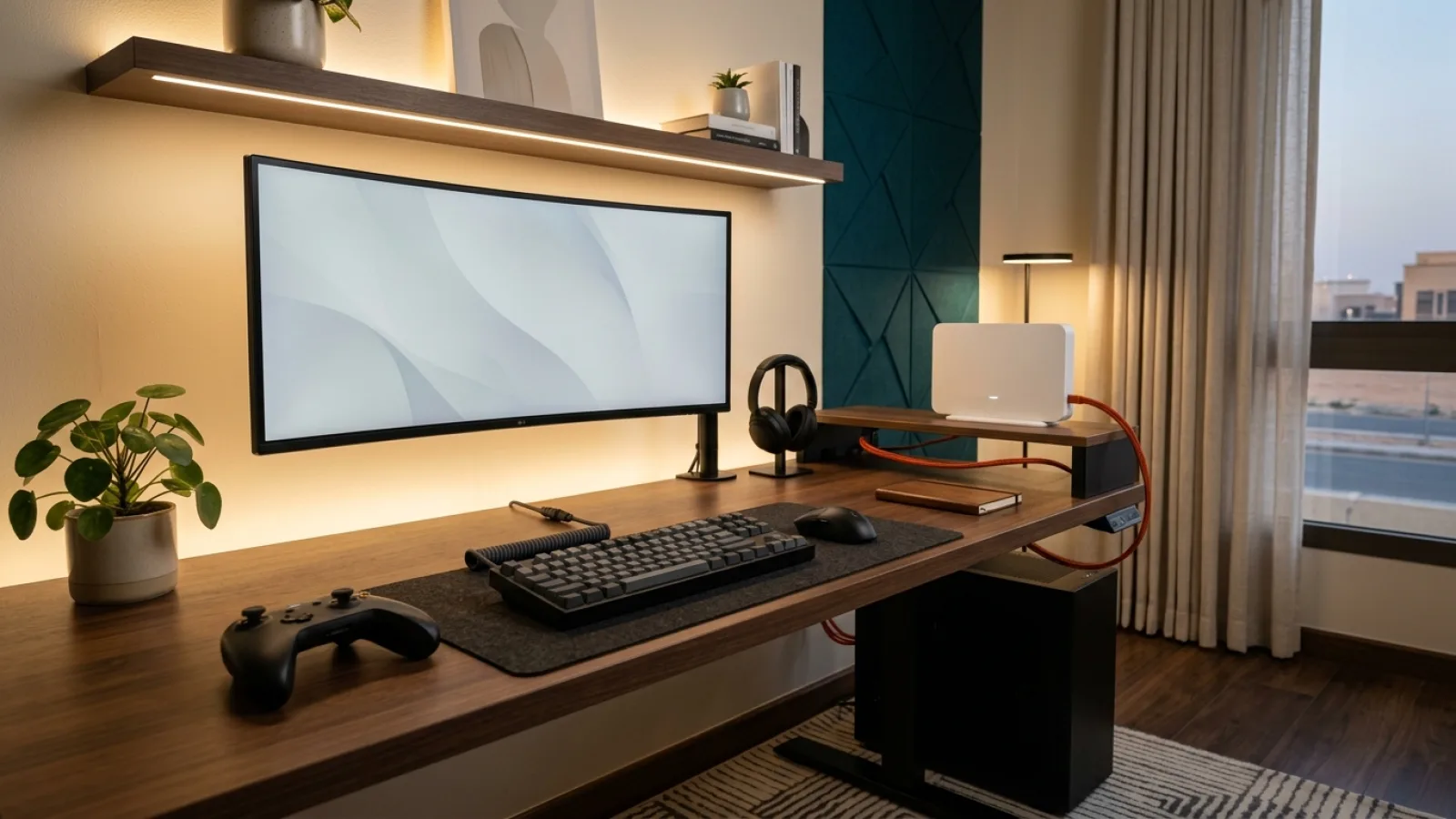

Lag can come from local Wi-Fi, busy home devices, game servers or the wider connection. Buying a faster plan may not solve the real problem.
After testing, compare available Zain and Mobily Fiber and home 5G options with Saryan if you need a different service.
- Why Online Gaming Demands Determinism, Not Bandwidth: UDP Transport and Server Tickrates
- Dissecting Gaming Lag Symptoms: Static Latency vs Jitter Spikes vs Packet Loss
- Step 1: Eliminating Wireless Jitter: The Mandatory Cat6 Ethernet Cable Imperative
- Step 2: Conquering Bufferbloat and In-Home Gateway Contention During Peak Family Hours
- Step 3: Demystifying Console NAT Architecture (Type 1 Open vs Type 2 Moderate vs Type 3 Strict)
- Step 4: Geographic Routing Physics: Middle East Servers (Riyadh & Bahrain) vs Western Europe
- Step 5: The Saudi CST "Game Mode" Initiative and Peering Infrastructure Benchmarks
- Step 6: Advanced Diagnostic Utilities for Gamers (Traceroute, WinMTR, and PingPlotter)
- Step 7: Fiber FTTH vs 5G Home Broadband: Physical Layer Realities for Competitive Esports
- The 60-Second Competitive Pre-Flight Checklist Before Ranked Tournaments
- Identifying Upstream ISP Routing Anomalies and Submitting Factual Escalation Tickets
1. Why Online Gaming Demands Determinism, Not Bandwidth: UDP Transport and Server Tickrates #
To permanently resolve online latency, one must grasp the fundamental architectural divergence separating media streaming from real-time gaming:
A. Streaming TCP vs Gaming UDP Architecture #
- Video platforms (Netflix, YouTube) operate across TCP (Transmission Control Protocol). They download massive chunks of video seconds in advance into local hardware memory buffers. If transient packet loss occurs, TCP automatically requests retransmission in the background without the viewer experiencing playback disruption.
- Conversely, competitive gaming is strictly tethered to UDP (User Datagram Protocol). Online gaming cannot tolerate buffering; each packet conveys live, instantaneous spatial physics (X, Y, Z vector coordinates, rotation, player orientation, and projectile firing vectors).
- If a UDP datagram drops over airwaves due to Wi-Fi contention, UDP never retransmits it; retransmitted coordinates arrive stale and are discarded by the game engine. The visual consequence is immediate: the game drops a render tick, causing adjacent players to "teleport" or register blank hits.
B. High-Frequency Server Tickrates #
Modern esports titles (such as Valorant at 128-tick or CS2 utilizing sub-tick architecture) process game states 64 to 128 times per second. Your machine must exchange network packets every 7.8 to 15.6 milliseconds.
If a single packet is held back in a local router queue, instantaneous ping spikes and induces micro-stuttering that no amount of additional headline megabits can fix.
2. Dissecting Gaming Lag Symptoms: Static Latency vs Jitter Spikes vs Packet Loss #
Accurately solving network anomalies requires diagnosing the specific technical symptom:
| In-Game Symptom | Technical Classification | Root Failure Domain | Recommended Immediate Action |
|---|---|---|---|
| Constant, stable high ping (e.g. 85 ms) | High Static Latency | Physical geographic distance (playing on European servers) | Set matchmaking region to Gulf / Middle East |
| Pristine ping that randomly spikes (12ms to 200ms) | Jitter & Queue Contention | Local Wi-Fi interference or gateway bufferbloat | Transition to Cat6 cable; enable router SQM/QoS |
| Character rubberbanding, dropped inputs | Physical Packet Loss | Dropped UDP frames over airwaves or corrupted cable | Eliminate Wi-Fi; audit local line via WinMTR |
| Matchmaking failure, lobby party voice errors | NAT Type Strict (Type 3) | Firewall port blocking or upstream CGNAT | Configure UPnP or manual Port Forwarding |
3. Step 1: Eliminating Wireless Jitter: The Mandatory Cat6 Ethernet Cable Imperative #
Attempting to compete in esports over residential Wi-Fi—regardless of router specifications or spatial proximity—inherently handicaps the player due to physical electromagnetic constraints:
- Half-Duplex Airtime Contention: Wi-Fi radios cannot transmit and receive simultaneously. When you click to fire, your client hardware must wait for ambient radio airwaves to clear if an adjacent phone or television is transmitting.
- Structural Masonry Attenuation: Heavy reinforced concrete common in Saudi villas absorbs high-frequency 5 GHz and 6 GHz waveforms, while ambient non-Wi-Fi emitters (microwaves, Bluetooth peripherals) induce burst packet drops.
- The Physical Cable Baseline:
- Connect your gaming PC, PlayStation 5, or Xbox Series X directly to the primary gateway using a certified Cat6 Ethernet cable.
- Switched Ethernet operates in Full-Duplex mode over dedicated copper pairs, delivering a deterministic first-hop latency under 0.5 milliseconds (sub-millisecond) with zero packet loss and zero airtime contention.
4. Step 2: Conquering Bufferbloat and In-Home Gateway Contention During Peak Family Hours #
Many gamers notice pristine ping during early morning sessions that evaporates into severe lag spikes the moment family members return home in the evening.
This anomaly is rarely a failure of authorized carrier's core infrastructure; it represents classic domestic Bufferbloat:
- When another household device initiates a high-bitrate 4K stream or automated cloud backup, unmanaged consumer routers buffer massive incoming bursts inside internal RAM queues.
- Sensitive, tiny gaming packets get stuck behind massive video chunks, inflating round-trip transit times from 15 ms to 250 ms until the video buffer clears!
Remedying Bufferbloat: #
- Benchmark Queue Health: Run the Waveform Bufferbloat Test utility. A score of C, D, or F indicates poor queue management.
- Deploy Smart Queue Management (SQM): On modern gaming routers, activate SQM (Smart Queue Management) operating Cake or FQ-CoDel algorithms. SQM dynamically throttles bulk transfers by 5%, prioritizing real-time interactive UDP packets ahead of large bulk files, ensuring flat, unyielding ping even while another user downloads at maximum line speed.
5. Step 3: Demystifying Console NAT Architecture (Type 1 Open vs Type 2 Moderate vs Type 3 Strict) #
Network Address Translation (NAT) configuration issues frequently prevent console players from joining multiplayer lobbies or hearing squad party chat:
The Three Console NAT Profiles: #
- NAT Type 1 (Open): Device connects directly to the public internet without an intermediate firewall (uncommon and presents security vulnerabilities).
- NAT Type 2 (Moderate / Normal): Console resides behind a properly configured domestic router. This is the optimal, secure operating baseline, permitting seamless matchmaking and full voice chat connectivity.
- NAT Type 3 (Strict): Inbound ports are blocked by an aggressive firewall or Carrier-Grade NAT (CGNAT). The player cannot host lobbies and experiences severe matchmaking limitations.
Converting to NAT Type 2 (Open/Moderate): #
- Enable UPnP (Universal Plug and Play): In router management settings, ensure UPnP is active, permitting consoles to dynamically negotiate inbound listening ports.
- Reserve a Static DHCP Lease: Bind your gaming hardware’s MAC address to a fixed IP address.
- Configure Dedicated Port Forwarding Rules:
- PlayStation Network: TCP:
80, 443, 3478, 3479, 3480| UDP:3478, 3479. - Xbox Live: UDP:
88, 500, 3544, 4500| TCP/UDP:3074.
- Avoid Indiscriminate DMZ Placement: Placing consoles in a permanent DMZ exposes hardware directly to public internet port scans; configure targeted port rules instead.
6. Step 4: Geographic Routing Physics: Middle East Servers (Riyadh & Bahrain) vs Western Europe #
Gamers frequently expect sub-20 ms ping to European servers, disregarding the physical laws of electromagnetic propagation through glass fiber:
Real-World Propagation Physics Over Submarine Fiber: #
- Local Riyadh & Jeddah Host Servers: Packets travel across metropolitan provider rings and local Internet Exchange Points (SAIX/JEDIX). Transit distances are minimal (< 300 km), achieving pristine ping between 4 and 15 milliseconds.
- Regional Gulf & Bahrain Servers: Located ~450 km from Riyadh over terrestrial fiber routes, achieving baseline latency between 15 and 25 milliseconds.
- Western Europe (Frankfurt, London, Amsterdam): Separated by over 4,500 km of terrestrial and submarine cables routed through the Red Sea and Mediterranean. The speed of light in optical glass (200,000 km/s), combined with routing equipment processing overhead, establishes an unyielding physical floor between 65 and 85 milliseconds.
Matchmaking Recommendation:
Always verify within in-game settings that your matchmaking server region is manually pinned to Middle East rather than "Auto", preventing the game from routing you into European lobbies during matchmaking queues.
7. Step 5: The Saudi CST "Game Mode" Initiative and Peering Infrastructure Benchmarks #
The Communications, Space and Technology Commission (CST) publishes quarterly Game Mode reports evaluating latency, packet loss, and connection stability across Saudi telecommunications operators for top global titles (EA Sports FC, PUBG Mobile, Valorant, Apex Legends).
authorized carrier's optical fiber network features optimized direct peering relationships with major international gaming publishers (Riot Games, Electronic Arts, Valve, Epic Games). This architecture ensures that domestic player traffic routes directly to publisher edge servers across the shortest possible BGP autonomous system paths, minimizing intermediate network hops.
8. Step 6: Advanced Diagnostic Utilities for Gamers (Traceroute, WinMTR, and PingPlotter) #
When latency anomalies persist over direct Ethernet connections, utilize diagnostic tracing software to pinpoint the exact network hop responsible:
- Executing Traceroute Diagnostics:
- Launch Windows Command Prompt and execute:
tracert [Game Server IP].
- Interpreting Diagnostic Hops:
- Hop 1: Represents your local residential router (
192.168.1.1). Latency must remain < 1 ms. If Hop 1 reports 20 ms or timeouts, the fault is local cabling or router hardware. - Hops 2 to 4: Represent the neighborhood aggregation cabinet and authorized carrier metropolitan core. Latency should remain stable between 3 and 10 ms.
- Final Hops: Represent destination host edge routers. If timeouts or latency spikes appear exclusively at the final hops, the provider network is operating flawlessly, and the issue resides inside the game publisher's host datacenter.
9. Step 7: Fiber FTTH vs 5G Home Broadband: Physical Layer Realities for Competitive Esports #
When choosing broadband for serious competitive gaming, physical media characteristics dictate real-world outcomes:
- Fiber-to-the-Home (FTTH): Transmits data via modulated photons through pure silica glass. It is completely immune to weather, atmospheric moisture, and RF contention, delivering flat zero-jitter latency, 0.00% packet loss, and clean public IPv4/IPv6 addressing for effortless NAT Type 2 operation. Optical fiber remains the mandatory gold standard for competitive esports.
- 5G Wireless Home Broadband: Offers rapid deployment and massive speeds where fiber is unavailable, but inherently operates over shared ambient cellular airwaves. Atmospheric conditions, cell tower sector congestion during evening hours, and cellular CGNAT architectures frequently introduce latency variance and strict NAT configurations unsuited for high-stakes esports.
10. The 60-Second Competitive Pre-Flight Checklist Before Ranked Tournaments #
Execute this rapid checklist prior to launching competitive ranked play:
- Wired Verification: Confirm Wi-Fi is disabled and client device is hardwired via Cat6.
- Terminate Background Transfers: Close Steam, Battle.net, Epic Games launchers, and peer-to-peer torrent software.
- Deactivate VPNs & Proxies: Disable corporate tunneling software that intercepts raw gaming sockets.
- Lock Region Settings: Verify in-game servers are pinned to Middle East nodes.
- Reboot Router Hardware: Clear stale session tables if hardware has run unmanaged for extended weeks.
11. Identifying Upstream ISP Routing Anomalies and Submitting Factual Escalation Tickets #
If diagnostic WinMTR or Traceroute logs capture packet loss within authorized carrier’s core autonomous system (AS):
- Capture Diagnostic Trace Logs: Save timestamped Traceroute or WinMTR text exports displaying hop-by-hop latency and loss percentages.
- Engage SARYAN Customer Support: Open a ticket via our dedicated support portal at
/supportor reach our technical support desk directly via phone or WhatsApp at 0596453545. - Present Structured Technical Data: "Experiencing 90 ms latency and 8% packet loss to Riot Middle East servers over a direct Cat6 cable; traceroute logs isolate a latency spike at hop 3 within the metropolitan aggregation ring."
- Providing precise network telemetry enables our engineering desk to escalate tickets directly to Tier-2 BGP routing specialists for immediate path re-optimization.
MTU Optimization, Bufferbloat SQM Tuning and Saudi Server Topologies #
To extract the final competitive edge from your broadband connection, apply these advanced network transport configurations:
- Maximum Transmission Unit (MTU) and MSS Clamping: Packet fragmentation adds severe latency penalties in fast-paced shooters. For standard IPoE fiber connections, maintain standard MTU at 1500 bytes. For PPPoE subscriber lines, configure router MTU to 1492 with MSS (Maximum Segment Size) clamped to 1452 bytes. This eliminates packet slicing at upstream carrier edge gateways.
- Smart Queue Management (SQM) with FQ_CoDel or CAKE: If your residential gateway supports advanced queueing disciplines (such as FQ_CoDel or CAKE), enable SQM. By actively managing buffer buffers and ensuring airtime fairness across concurrent streams, SQM prevents family streaming and cloud backups from inflating your gaming ping, maintaining a completely flat latency graph even under 100% upstream saturation.
- Saudi CST Game Mode Peering Ecosystem: Through the regulatory initiatives of the Saudi Communications, Space and Technology Commission (CST), major global publishers (including Valve, EA, Riot Games, and Epic Games) maintain localized edge nodes connected to the national internet exchange points (SAIX in Riyadh and JEDIX in Jeddah). On authorized carrier Fiber Broadband (FTTH), localized ping consistently measures between 5 ms and 14 ms to domestic servers, and under 25 ms to regional Arabian Gulf datacenters in Bahrain and the UAE.
Practical Subscriber Checklist Before Selecting a Zain or Mobily Home Plan (K21) #
When evaluating whether to upgrade your home connectivity or comparing Zain and Mobily Home Fiber and 5G packages through SARYAN, applying a structured household checklist ensures that your chosen subscription matches your real daily workload without unnecessary overspending:
- Audit Peak-Hour Household Concurrency: Count how many 4K smart TVs, remote-work laptops, cloud backup tasks, and gaming consoles run simultaneously between 8:00 PM and 11:00 PM, because concurrent active streams and uploads determine the real bandwidth headroom your family needs.
- Verify Indoor Hardware Placement and Cabling: Even on a high-tier Zain or Mobily Fiber or 5G subscription, central router positioning and direct Cat6 Ethernet wiring for stationary setups (home offices, gaming desks, and main living-room screens) make a decisive difference in latency stability and Wi-Fi consistency.
- Review Total Contract Terms Transparently: Check the monthly tariff, 15% VAT treatment, contract commitment period, and router inclusion terms published for the selected operator package, and confirm address-level coverage before submitting your subscription request.
- Ask a SARYAN Sales Advisor for Direct Comparison: If you want help matching your address coverage and household usage to the right Zain or Mobily Fiber or home 5G package, contact the SARYAN team by phone or WhatsApp for clear, practical pre-order guidance.
Internal links #
/compare— Compare high-speed Fiber Broadband (FTTH) plans with certified low-latency gateways/knowledge/ethernet-vs-wifi-home— Physical layer analysis of Ethernet cabling vs Wi-Fi for gaming (K18)/knowledge/ping-latency-jitter-packet-loss— In-depth breakdown of ping, jitter, and packet loss (K14)/knowledge/home-internet-troubleshooting-order— Sequential troubleshooting order for home internet issues (K20)/knowledge/why-speed-test-results-change— Understanding broadband speed test variations (K19)/support— SARYAN technical support and dedicated customer care desk
Editorial source review #
All gaming transport protocols, latency benchmarks, and network architectures referenced in this guide have been validated against IETF RFC 768 (User Datagram Protocol), IEEE 802.3 Ethernet transport specifications, and the official "Game Mode" quarterly benchmarks published by the Communications, Space and Technology Commission (CST) of Saudi Arabia. Reviewed and approved by the SARYAN technical engineering desk.