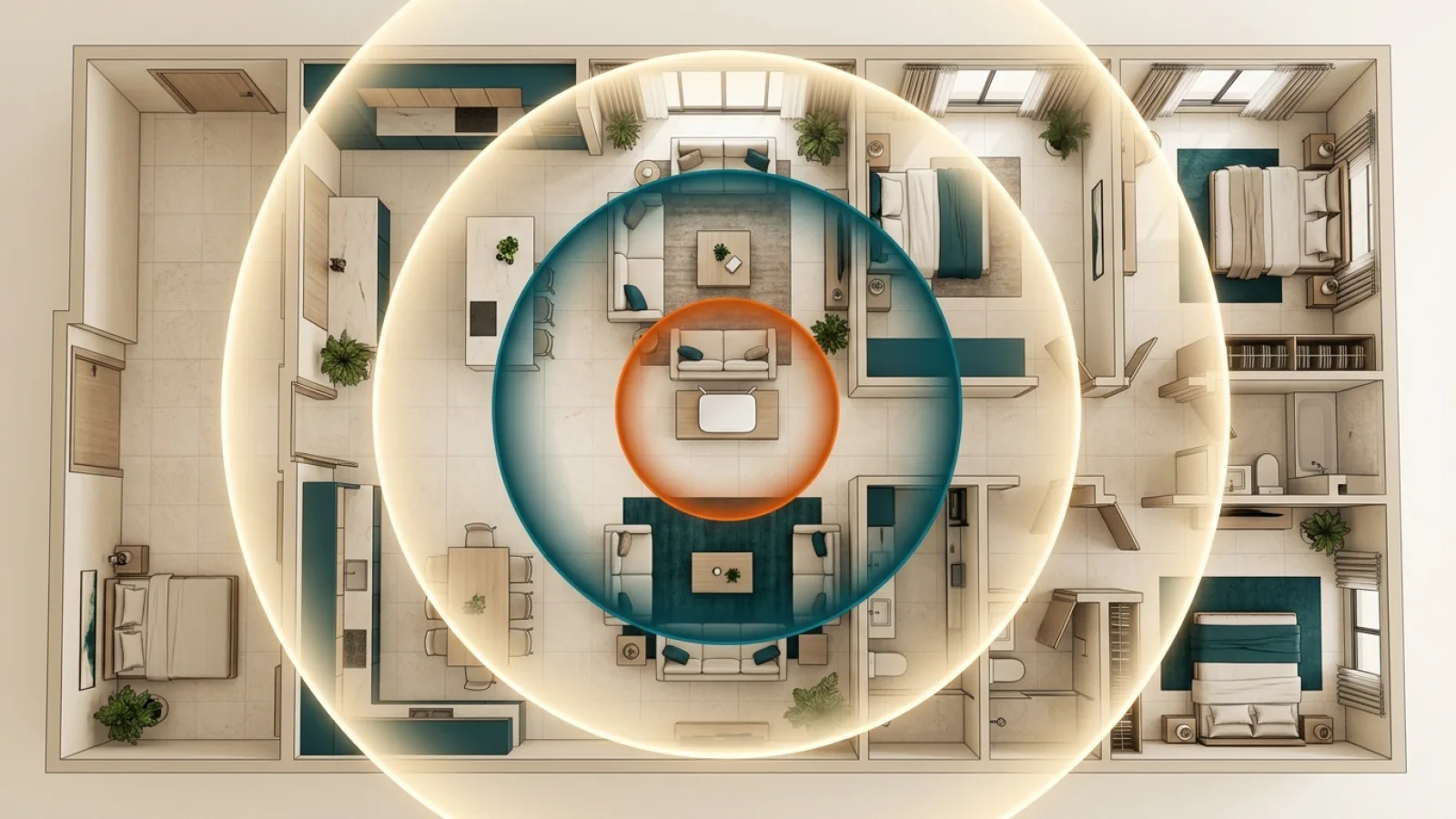

Wi-Fi frequency bands trade range for performance in different ways. A poor signal in one room may be a local-network issue rather than a reason to buy a faster internet plan.
Try practical settings before changing service, then compare real Zain and Mobily plans with Saryan if an upgrade makes sense.
- Electromagnetic Wave Physics: Why a Universal Frequency Band Does Not Exist
- The 2.4 GHz Band: Exceptional Physical Propagation vs Severe Spectrum Crowding
- The 5 GHz Band: The Optimal Convergence of High Capacity and Practical Range
- The 6 GHz Band: Pristine Spectrum, Multi-Gigabit Throughput, and Attenuation Boundaries
- Radio Propagation Across Saudi Residential Building Materials (Concrete, Masonry, and Low-E Glass)
- Automated Band Steering (Smart Connect): Operational Strengths and Latency Failure Modes
- Dedicated 2.4 GHz Isolation for Smart Home IoT and Surveillance Hardware
- Radio Frequency Channel Planning: Dynamic Frequency Selection (DFS) and Unlicensed 6 GHz Operations
- Regulatory Spectrum Governance: Saudi CST License-Exempt Frameworks
- Practical Band Assignment Matrix: Mapping Frequencies to Rooms and Client Hardware
- Attenuation Coefficients and Structural RF Penetration in Saudi Building Codes (SBC)
1. Electromagnetic Wave Physics: Why a Universal Frequency Band Does Not Exist #
All Wi-Fi transmissions utilize electromagnetic radio waves propagating through the air at the speed of light. The fundamental relationship governing these waves is described by the wave equation: frequency is inversely proportional to wavelength.
- Lower Frequencies (e.g., 2.4 GHz): Exhibit relatively long physical wavelengths (approximately 12.5 centimeters). These longer waves diffract around physical obstructions and penetrate building materials with low energy absorption, delivering extensive geographic range. However, because fewer wave cycles occur per second, the maximum amount of digital data that can be encoded within the carrier wave is strictly constrained.
- Higher Frequencies (e.g., 5 GHz and 6 GHz): Possess substantially shorter physical wavelengths (roughly 5 cm for 5 GHz, and under 4.5 cm for 6 GHz). Oscillating billions of times per second, these frequencies support massive channel widths and dense data encoding. Conversely, shorter wavelengths suffer steep path loss and intense molecular absorption. When encountering dense reinforced concrete or metallic insulation, high-frequency energy is rapidly absorbed and dissipated as heat, severely restricting effective transmission range.
In wireless engineering, there is no universally superior frequency band. Low frequencies conquer physical distance; high frequencies conquer bandwidth bottlenecks.
2. The 2.4 GHz Band: Exceptional Physical Propagation vs Severe Spectrum Crowding #
Introduced alongside the IEEE 802.11b standard in the late 1990s, the 2.4 GHz band remains universally supported across all wireless consumer hardware manufactured today.
Key Strengths: #
- Superior Structural Penetration: Transmits reliably over 25 to 45 meters indoors, penetrating multiple gypsum partitions and standard interior doors with modest signal attenuation.
- Universal Device Compatibility: 100% of Wi-Fi-enabled consumer devices support 2.4 GHz.
Inherent Bottlenecks: #
- Acute Spectrum Congestion: Worldwide regulations allocate only three non-overlapping 20 MHz channels within the 2.4 GHz spectrum (Channels 1, 6, and 11). In dense residential complexes, dozens of neighboring access points compete for the same three channels, creating severe co-channel interference that degrades real-world throughput.
- Cross-Protocol Interference: Operates in an unlicensed industrial, scientific, and medical (ISM) band shared by Bluetooth peripherals, wireless baby monitors, proprietary RF remotes, and microwave ovens (which emit stray radiation near 2.45 GHz during operation).
- Modest Real-World Throughput: Client devices typically achieve between 50 and 120 Mbps in practice, making the 2.4 GHz band inadequate for saturating modern high-tier fiber subscriptions.
3. The 5 GHz Band: The Optimal Convergence of High Capacity and Practical Range #
The integration of 5 GHz spectrum across Wi-Fi 5 and Wi-Fi 6 established the backbone of modern residential broadband delivery:
- Substantial Spectrum Capacity: Provides up to 24 non-overlapping channels, allowing routers to bind channels into wide 80 MHz or 160 MHz configurations capable of delivering 400 to 900 Mbps of real-world wireless throughput to client terminals.
- Cleaner Radio Environment: Fully isolated from Bluetooth and microwave interference; rapid wall attenuation works to the user's advantage by dampening neighboring residential signals before they enter the home.
- Structural Penetration Boundaries: While capable of penetrating one or two light interior walls, 5 GHz signals attenuate sharply when confronting reinforced concrete pillars, losing 70% to 85% of their effective power per structural barrier.
The 5 GHz band is the optimal choice for primary 4K streaming players, low-latency gaming consoles, and remote work laptops situated in the same room or an immediately adjacent room.
4. The 6 GHz Band: Pristine Spectrum, Multi-Gigabit Throughput, and Attenuation Boundaries #
The 6 GHz band (available exclusively on native Wi-Fi 6E and Wi-Fi 7 hardware) spans from 5.925 GHz to 7.125 GHz, adding an unprecedented 1200 MHz of pristine, contiguous spectrum:
Unique Architectural Properties: #
- Pristine Legacy-Free Spectrum: Legacy Wi-Fi 4 and Wi-Fi 5 client radios cannot access 6 GHz frequencies. The entire band is reserved exclusively for modern high-performance endpoints, eliminating legacy airtime contention.
- Extreme Channel Widths (Up to 320 MHz): Enables ultra-wide channel bonding in Wi-Fi 7, yielding real-world wireless transfer rates exceeding 2 to 3 Gbps with deterministic sub-millisecond local latency.
- Severe Physical Attenuation: High-frequency 6 GHz waves are almost entirely absorbed by dense masonry and concrete walls. The 6 GHz band functions effectively as an in-room wireless conduit, engineered for open-space computing rather than whole-home structural penetration.
5. Radio Propagation Across Saudi Residential Building Materials (Concrete, Masonry, and Low-E Glass) #
Saudi residential architecture possesses distinctive construction characteristics that heavily dictate wireless wave behavior compared to lightweight timber framing:
- Reinforced Concrete (Beams, Pillars, and Ceilings): Dense structural concrete reinforced with steel rebar acts as an electromagnetic shield (a partial Faraday cage). Solid concrete slabs absorb over 95% of incoming 5 GHz and 6 GHz signals, preventing multi-floor wireless propagation without physical extensions.
- Dense Masonry Blockwork: Solid exterior cement blocks introduce 12 to 18 dB of attenuation at 5 GHz and over 22 dB at 6 GHz, whereas 2.4 GHz signals pass with 5 to 7 dB of loss.
- Double-Glazed Low-E Glass: Modern thermal windows feature microscopic metallic oxide coatings designed to reflect solar radiation; these metallic films reflect Wi-Fi signals just as aggressively, preventing indoor gateways from projecting usable signal into detached courtyard gardens.
Understanding these material properties proves why standalone gateways cannot cover large Saudi villas without distributed architecture like authorized carrier FTTR or wired mesh nodes.
6. Automated Band Steering (Smart Connect): Operational Strengths and Latency Failure Modes #
Most carrier gateways feature Smart Connect (Band Steering) enabled by default, presenting a single unified SSID that combines 2.4 GHz, 5 GHz, and 6 GHz frequencies under identical credentials:
How Band Steering Operates: #
The gateway continuously monitors client signal strength (RSSI) and modem capabilities. When a device is situated near the router, the gateway steers it to high-speed 5 GHz or 6 GHz channels. As the user walks into a distant room, the gateway dynamically migrates the connection to 2.4 GHz to maintain link continuity.
When to Utilize Smart Connect: #
- Highly advantageous for general household mobile devices (smartphones, tablets) whose users roam between rooms and desire hands-free network management.
Latency Failure Modes in Competitive Environments: #
- Hysteresis Boundary Ping Spikes: When a competitive online gamer or video conference participant sits near the boundary threshold between 2.4 and 5 GHz, the gateway algorithm may continuously re-negotiate frequencies, generating sudden packet drops and latency spikes.
- IoT Device Enrollment Failures: Legacy smart home endpoints often fail setup entirely on unified SSIDs because their single-band 2.4 GHz modems cannot interpret multi-band beacon frames.
7. Dedicated 2.4 GHz Isolation for Smart Home IoT and Surveillance Hardware #
Smart residential environments integrate dozens of ambient connected endpoints: smart plugs, thermostat sensors, perimeter cameras, and automated appliances:
- Hardware Constraints: Over 95% of IoT devices deploy low-cost single-band 2.4 GHz modems to maximize battery efficiency and minimize production cost.
- Architectural Best Practice: Telecommunications engineers strongly recommend isolating IoT endpoints onto a dedicated 2.4 GHz-only SSID (e.g., a secondary Guest or IoT network).
- Operational Benefits:
- Complete security isolation separating ambient smart home hardware from core workstations and financial devices.
- Preserves 5 GHz and 6 GHz airtime exclusively for bandwidth-intensive laptops, streaming boxes, and gaming rigs.
8. Radio Frequency Channel Planning: Dynamic Frequency Selection (DFS) and Unlicensed 6 GHz Operations #
Effective frequency management requires understanding channel assignment rules:
- 2.4 GHz Rules: Strictly deploy Channel 1, 6, or 11 with channel widths locked to 20 MHz. Never select intermediate channels (e.g., 2, 3, or 8), as partial spectral overlap degrades neighbor connections and your own.
- 5 GHz DFS Restrictions: Channels 52 through 144 are designated as Dynamic Frequency Selection (DFS) spectrum, shared with meteorological radar and aerospace tracking. If a gateway detects ambient radar pulses, it is legally required to shut down transmission immediately and migrate to alternate channels, causing temporary connection drops. If living near an airport or radar installation, assign gateways to non-DFS channels (36–48 or 149–161).
- Pristine 6 GHz Spectrum: 6 GHz channels are completely free from DFS obligations, delivering pristine uninterrupted operation.
9. Regulatory Spectrum Governance: Saudi CST License-Exempt Frameworks #
The Communications, Space and Technology Commission (CST) governs all radio frequency spectrum in Saudi Arabia:
- Full 1200 MHz 6 GHz Allocation: CST designated the full 5925–7125 MHz band for license-exempt indoor operations under Low Power Indoor (LPI) specifications, establishing Saudi Arabia as a global pioneer in advanced Wi-Fi deployment.
- Compliant authorized carrier Hardware: All authorized carrier gateways distributed by SARYAN undergo rigorous CST certification, operating strictly within authorized Equivalent Isotropically Radiated Power (EIRP) limits to guarantee maximum safe transmission power.
10. Practical Band Assignment Matrix: Mapping Frequencies to Rooms and Client Hardware #
To implement these engineering principles within your domestic network, reference this operational assignment matrix:
| Hardware / Workload | Location / Proximity | Optimal Band | Recommended Configuration |
|---|---|---|---|
| Esports Gaming Rig / Console | Same room or adjacent space | 5 GHz or Cat6 Ethernet | Fixed 80 MHz channel; low-latency priority |
| Primary 4K Smart TV / Streaming | Main living area / Majlis | 5 GHz | Dedicated connection to high-throughput band |
| Mobile Smartphones / Tablets | Roaming throughout household | Smart Connect (Unified) | Dynamic steering balancing range and speed |
| Smart Plugs / Ambient IoT | Distributed throughout house | 2.4 GHz Dedicated SSID | 20 MHz width; isolated guest network |
| Outdoor Perimeter Cameras | Exterior walls / Garden gate | 2.4 GHz Only | Sole frequency capable of passing exterior concrete |
| Flagship Wi-Fi 7 Workstations / VR | Dedicated office / Open space | 6 GHz | 160 or 320 MHz channels for peak transfer |
11. Attenuation Coefficients and Structural RF Penetration in Saudi Building Codes (SBC) #
The physical propagation of radio frequencies within Saudi residential villas and high-rise apartment towers is profoundly influenced by heavy construction methods mandated by the Saudi Building Code (SBC 601/602 energy conservation standard):
- Reinforced Cast-in-Place Concrete and Ribbed Slabs (Hordi): Structural floors and shear walls contain dense grids of steel rebar embedded within high-density aggregate concrete. Empirical field measurements reveal that a 20-centimeter reinforced slab introduces an attenuation loss of 10 to 14 dB for 2.4 GHz signals, but escalates drastically to 28 to 35 dB for 5 GHz and 6 GHz frequencies. Because RF energy diminishes by 50% for every 3 dB of attenuation, a 30 dB barrier suppresses more than 99.9% of wireless energy. Attempting to transmit 5 GHz signals between floors through a reinforced concrete slab without a wired conduit link results in catastrophic packet loss and client disconnection.
- Thermally Insulated Volcanic Clay Masonry: Modern external building envelopes integrate rigid polystyrene foam insulation sandwiched between clay or autoclaved aerated concrete (AAC) blocks. This assembly introduces 5 to 7 dB of loss at 2.4 GHz and 13 to 17 dB at 5 GHz, permitting localized signal diffraction between horizontally adjacent rooms while effectively preventing signal leakage into adjacent streets.
- Low-Emissivity (Low-E) Solar Reflective Glazing: Building code standards require double-glazed window units equipped with microscopic metallic oxide sputtered films designed to reflect solar thermal radiation. This metallic coating acts as an effective radio-frequency reflector, redirecting up to 85% of incoming 5 GHz and 6 GHz energy. Consequently, home routers placed indoors cannot effectively transmit high-speed Wi-Fi to outdoor gardens, courtyards, or detached annexes through Low-E window assemblies.
- Architectural Engineering Remediation: Overcoming physical structural attenuation cannot be achieved through commercial high-power routers with amplified antennas, as client devices (smartphones and laptops) lack reciprocal transmission power to return signals through concrete. The only viable architectural solution is provisioning dedicated Cat6 structured data drops to ceiling-mounted access points on each floor, or deploying transparent Fiber-to-the-Room (FTTR) optical micro-cabling to deliver lossless optical signals directly into individual living zones.
Strategic Summary and Operational Recommendations #
Higher frequencies are not universally superior in every room, nor are lower frequencies obsolete. Balanced network design leverages the physical properties of each band for its intended task:
- Deploy 2.4 GHz for broad structural penetration and smart home telemetry.
- Rely on 5 GHz as the primary workhorse for high-speed streaming, gaming, and productivity.
- Harness 6 GHz for cutting-edge devices requiring uncompressed multi-gigabit throughput in open spaces.
Powered by Fiber Broadband (FTTH) infrastructure and carrier-grade gateways from SARYAN, your home network will deliver stable, deterministic connectivity across every square meter of your property.
Practical Subscriber Checklist Before Selecting a Zain or Mobily Home Plan (K16) #
When evaluating whether to upgrade your home connectivity or comparing Zain and Mobily Home Fiber and 5G packages through SARYAN, applying a structured household checklist ensures that your chosen subscription matches your real daily workload without unnecessary overspending:
- Audit Peak-Hour Household Concurrency: Count how many 4K smart TVs, remote-work laptops, cloud backup tasks, and gaming consoles run simultaneously between 8:00 PM and 11:00 PM, because concurrent active streams and uploads determine the real bandwidth headroom your family needs.
- Verify Indoor Hardware Placement and Cabling: Even on a high-tier Zain or Mobily Fiber or 5G subscription, central router positioning and direct Cat6 Ethernet wiring for stationary setups (home offices, gaming desks, and main living-room screens) make a decisive difference in latency stability and Wi-Fi consistency.
- Review Total Contract Terms Transparently: Check the monthly tariff, 15% VAT treatment, contract commitment period, and router inclusion terms published for the selected operator package, and confirm address-level coverage before submitting your subscription request.
- Ask a SARYAN Sales Advisor for Direct Comparison: If you want help matching your address coverage and household usage to the right Zain or Mobily Fiber or home 5G package, contact the SARYAN team by phone or WhatsApp for clear, practical pre-order guidance.
Internal links #
/compare— Compare Fiber Broadband (FTTH) and 5G package hardware specifications/knowledge/router-placement-home-wifi— Router placement and Wi-Fi coverage optimization (K05)/knowledge/wifi-6-vs-6e-vs-7— Generational differences between Wi-Fi 6, 6E, and 7 (K15)/knowledge/fttr-whole-home-connectivity— FTTR whole-home optical fiber connectivity (K11)/support— Contact SARYAN technical support desk
Editorial source review #
All radio frequency parameters, spectrum allocations, and physical transmission calculations are verified against official IEEE 802.11 standards, CST spectrum regulation bylaws, and authorized carrier broadband hardware engineering documentation. Authored and reviewed by the SARYAN technical desk.